
Whether you are producing a 1,000-attendee corporate conference, a high-stakes tech summit, a luxury gala, or an intimate wedding, event planning is a high-velocity operation. Every single project requires juggling dozens of moving parts: venue and catering agreements, AV and lighting quotes, photography shot lists, master budget spreadsheets, minute-by-minute day-of schedules, and visual design moodboards.
When event coordinators set up these workspaces manually, they spend 45 to 60 minutes per client duplicating folders, copying blank spreadsheet models, adjusting sharing permissions, and emailing links. In this case study and guide, you will learn how to build an automated event and wedding planning dossier system using Google Sheets, Google Drive, and Foldernest. With a single click or a new client inquiry form submission, your complete event workspace deploys instantly in Google Drive.
The Operational Bottlenecks in Event File Management
Event management teams face immense pressure leading up to event day. Disorganized digital files amplify stress and create severe operational risks:
- Scattered Vendor Quotes & Invoices: When catering, florist, audio-visual, and venue contracts live in random email threads or desktop folders, tracking payment schedules and liability terms becomes a liability.
- Run-of-Show Version Control Chaos: If the production crew, stage manager, and emcee are referencing different copies of the Day-of Master Timeline, crucial cues and keynote transitions fail.
- Budget Discrepancies: Without a standardized accounting spreadsheet duplicated for each project, formula errors and overlooked expenses quickly eat into event profit margins.
- Client Onboarding Delays: High-end clients expect immediate, polished access to their design moodboards and planning milestones. Waiting days for folder setup creates a poor first impression.
The Event & Wedding Planning Dossier Blueprint
Top event agencies maintain flawless execution by standardizing every client dossier into a 7-folder, 3-template workspace hierarchy:
- Root Event Folder: Dynamic naming pattern `{{Event Name}} - {{Client Name}} ( {{Event Date}} )` (e.g. *Global AI Summit 2026 - Future Tech Foundation ( 2026-11-20 )*)
- 01_Contracts & Vendor Quotes: Houses dedicated subfolders for *Venue & Catering* and *Photography & Production* to store vendor estimates, COIs (Certificates of Insurance), and signed agreements
- 02_Budget & Accounting: Auto-loads a formatted *Master Event Budget Sheet* (Google Sheets) with pre-built expense categories, deposit milestones, and balance formulas
- 03_Timeline & Schedules: Pre-populated with the *Day-of Master Timeline* (Google Docs) detailing minute-by-minute vendor arrivals, setup windows, and stage run-of-show
- 04_Design & Moodboards: Contains a collaborative *Design & Visual Moodboard* (Google Slides) for floral palettes, floor plans, lighting specs, and decor concepts
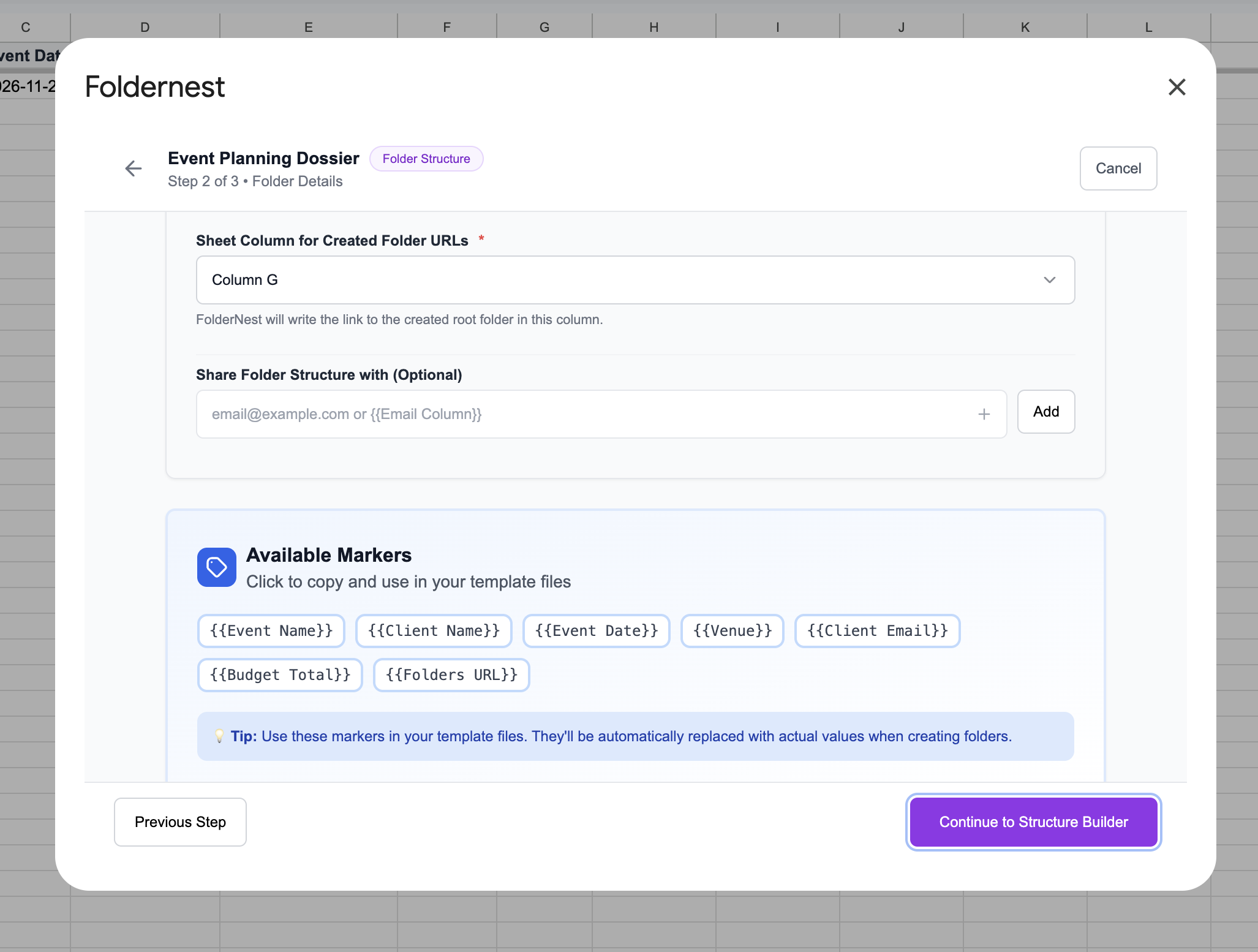
- Dynamic Placeholders: Replaced instantly with client variables including `{{Event Name}}`, `{{Client Name}}`, `{{Event Date}}`, `{{Venue}}`, `{{Client Email}}`, and `{{Budget Total}}`
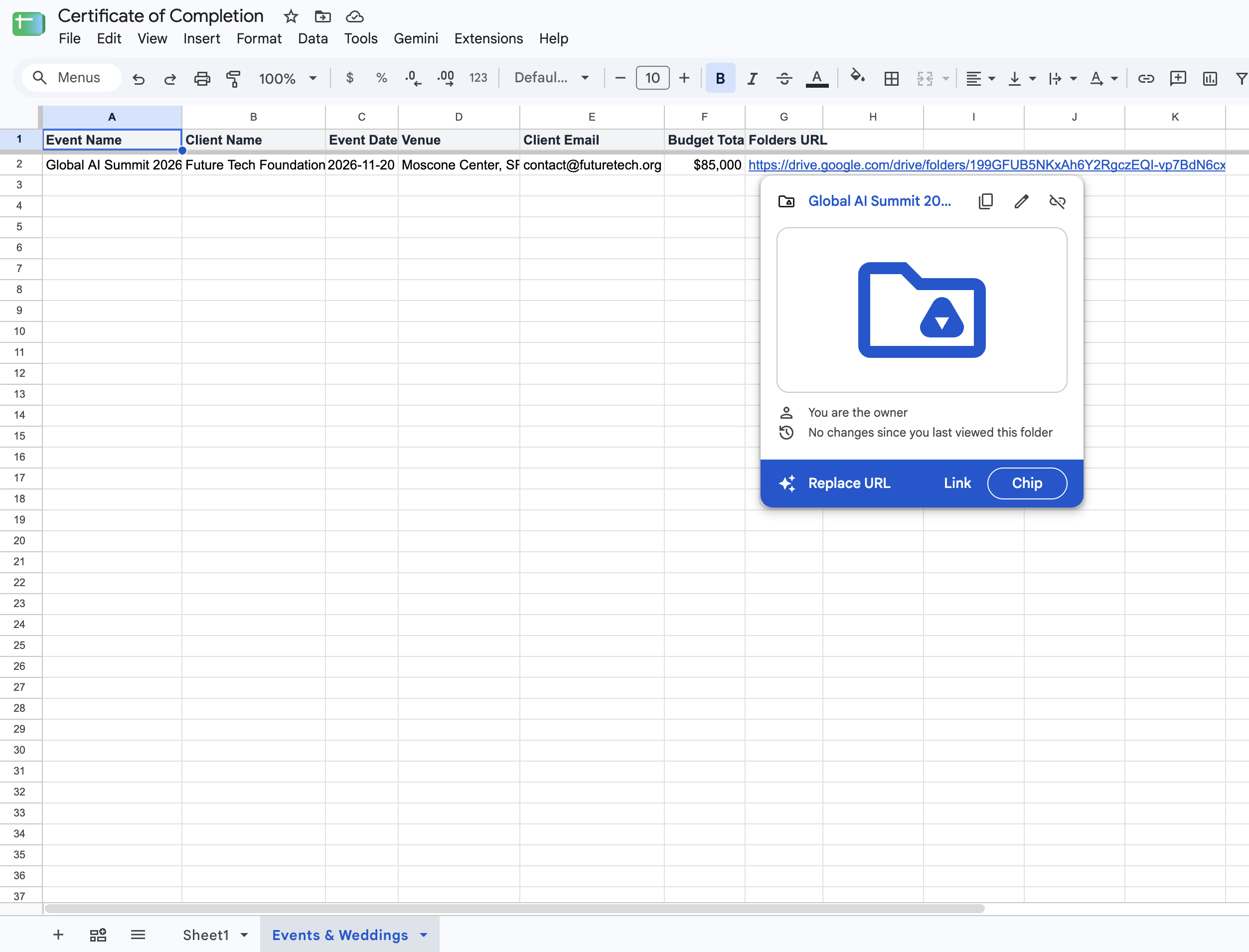
- Automatic Master Roster Tracking: The generated root folder link is written back into Column G of your master booking spreadsheet with an interactive Google Drive Smart Chip
Step 1: Open Foldernest from Google Sheets
Open your Google Sheet containing your event bookings or client inquiries (with columns like *Event Name*, *Client Name*, *Event Date*, *Venue*, *Client Email*, and *Budget Total*). Launch Foldernest from the top menu:
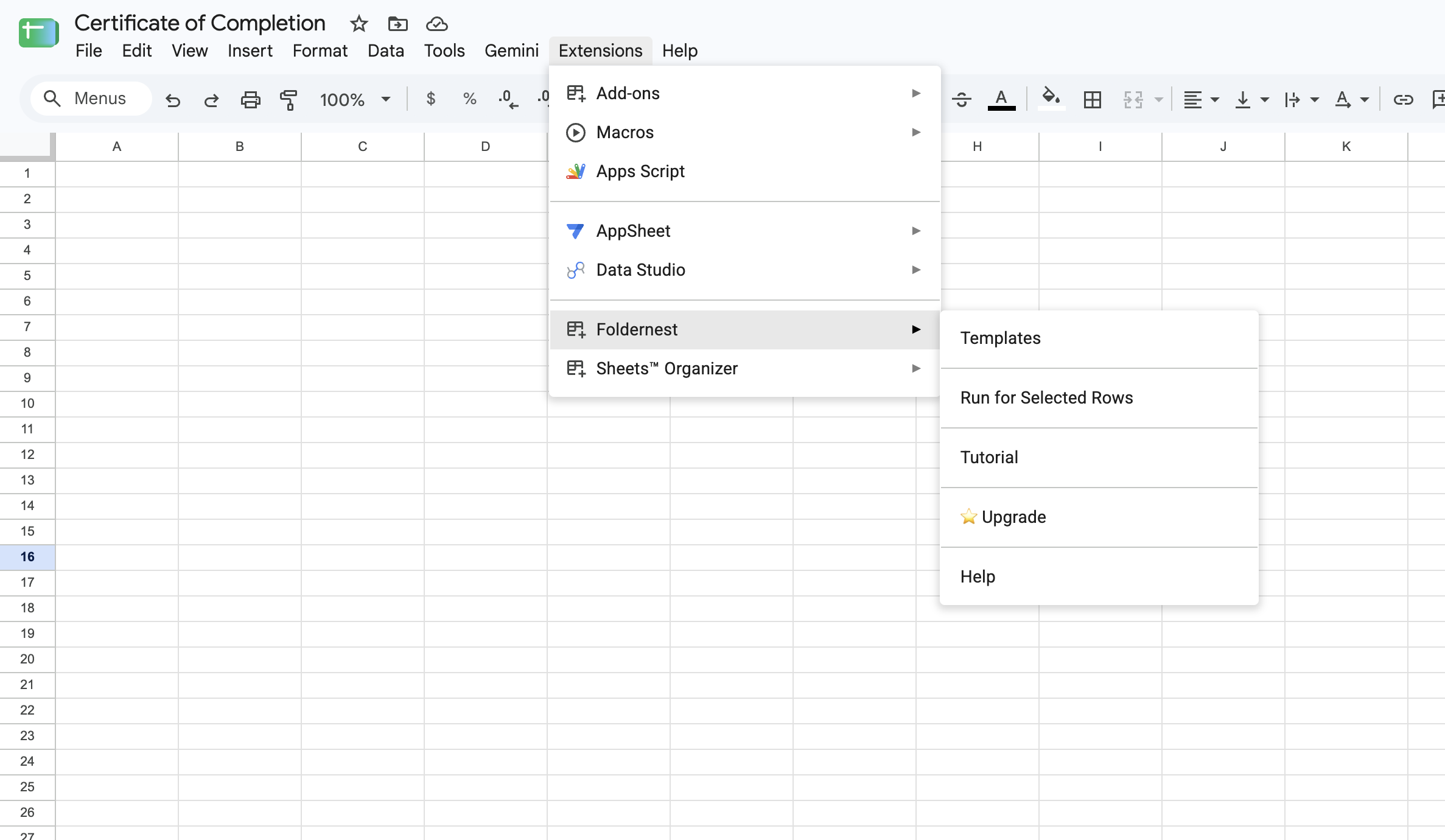
- 1. Click Extensions in the Google Sheets navigation bar.
- 2. Select Foldernest > Templates.
Step 2: Select Folder Hierarchy Tree & Browse Pre-Built Starters
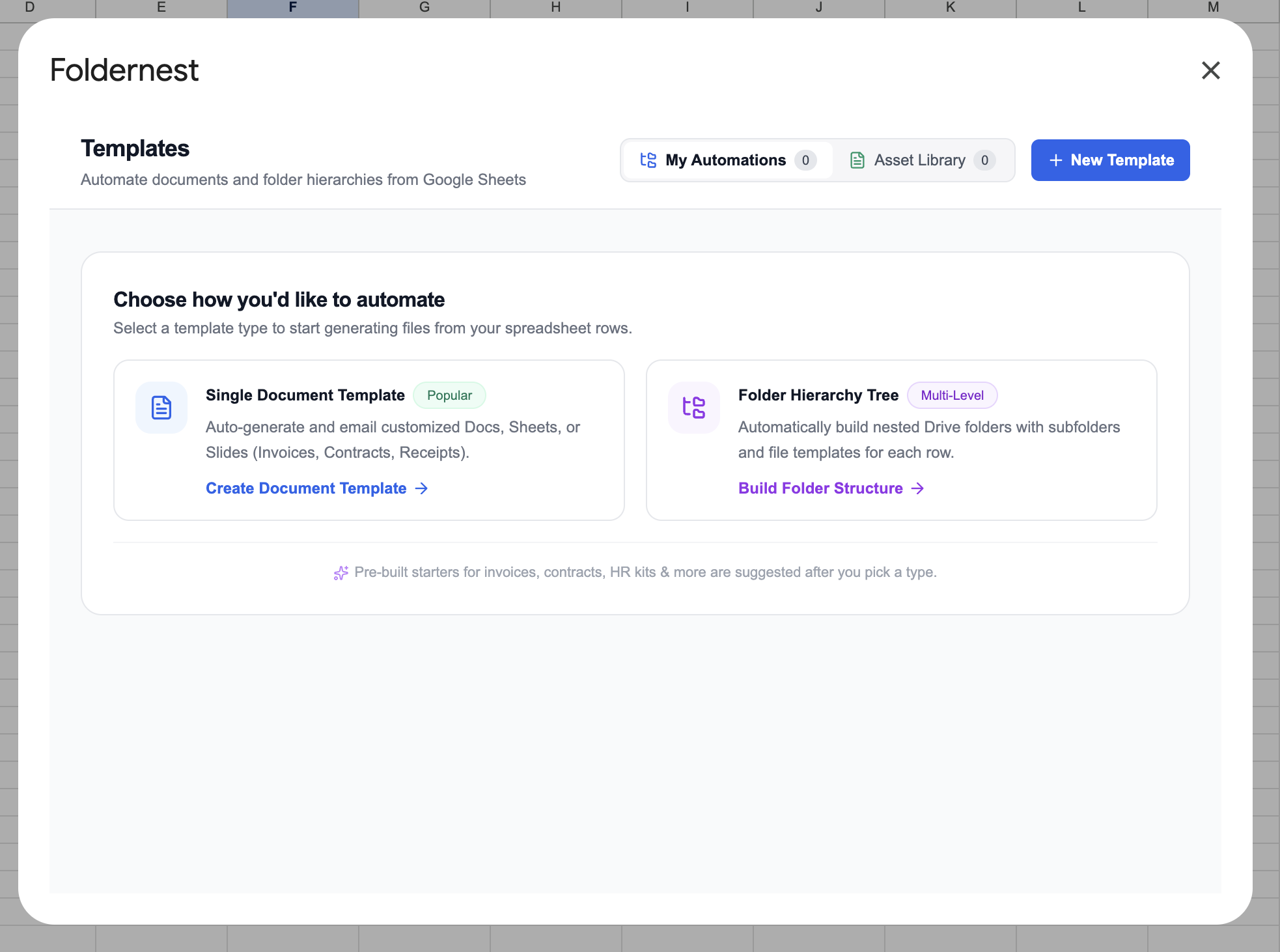
In the template builder modal, choose Folder Hierarchy Tree to build multi-level nested folders with attached Docs, Sheets, and Slides templates.
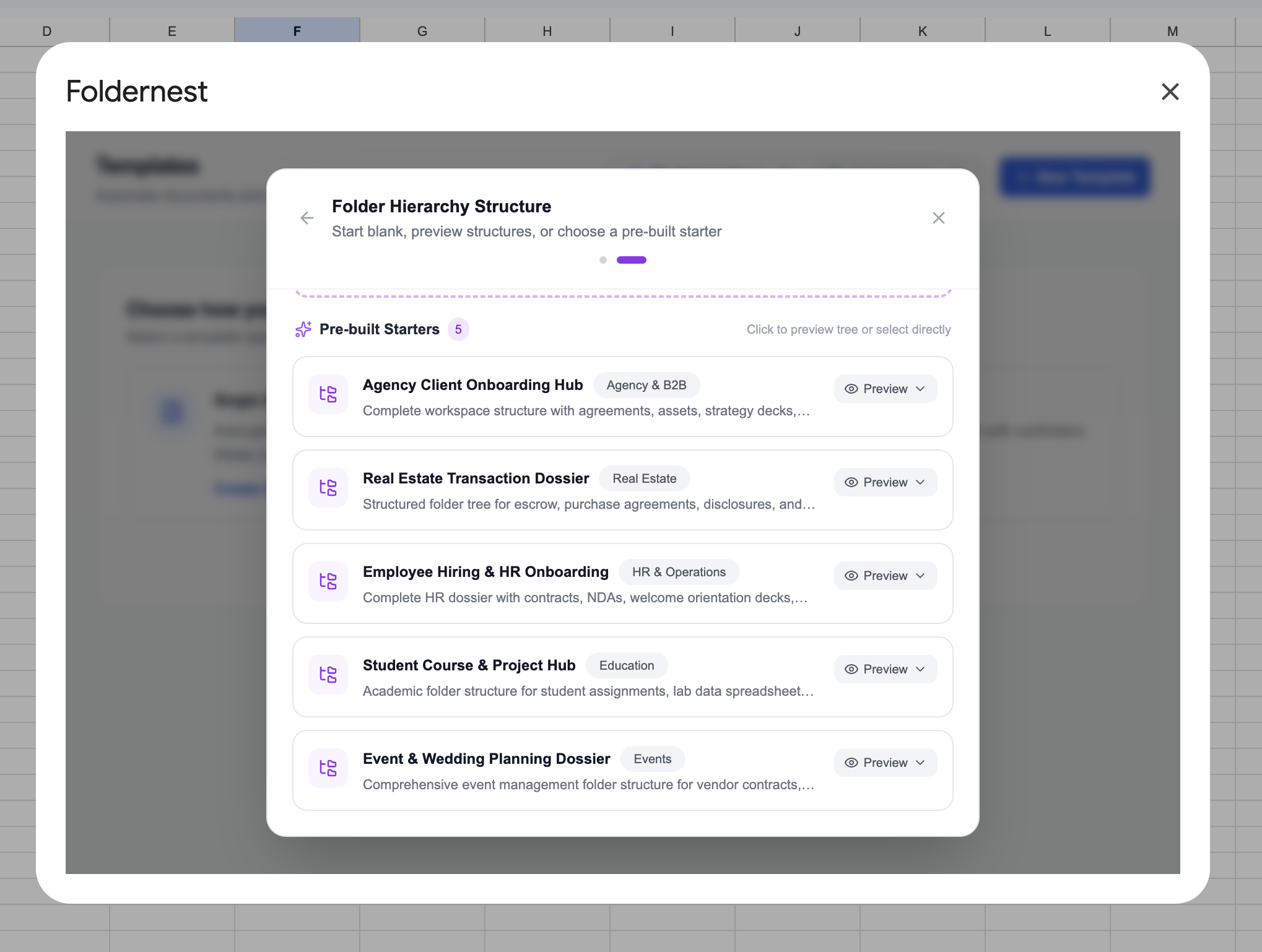
Click on Pre-Built Starters to view the ready-to-use blueprints. Under the Events category, click on Event & Wedding Planning Dossier.
Step 3: Preview the Event Planning Blueprint
The preview window displays the full architecture: 7 folders, 3 template files (Budget Sheet, Timeline Doc, Design Moodboard Slides), and 6 dynamic tags. Foldernest automatically provisions an `Events & Weddings` sheet tab with matching headers and copies all starter assets into your Google Drive.
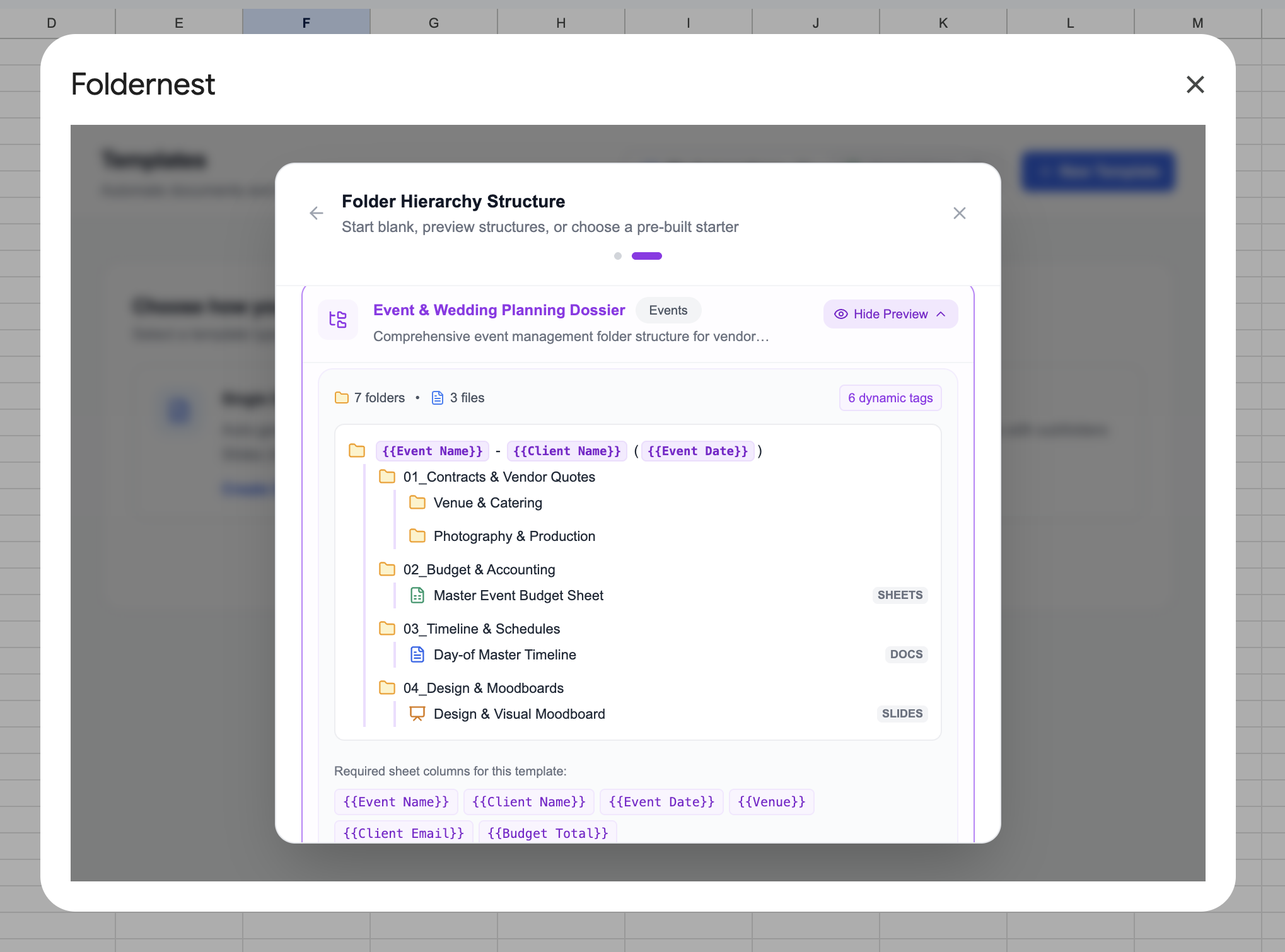
Click Hide Preview / Use This Starter to import the blueprint into your automation setup.
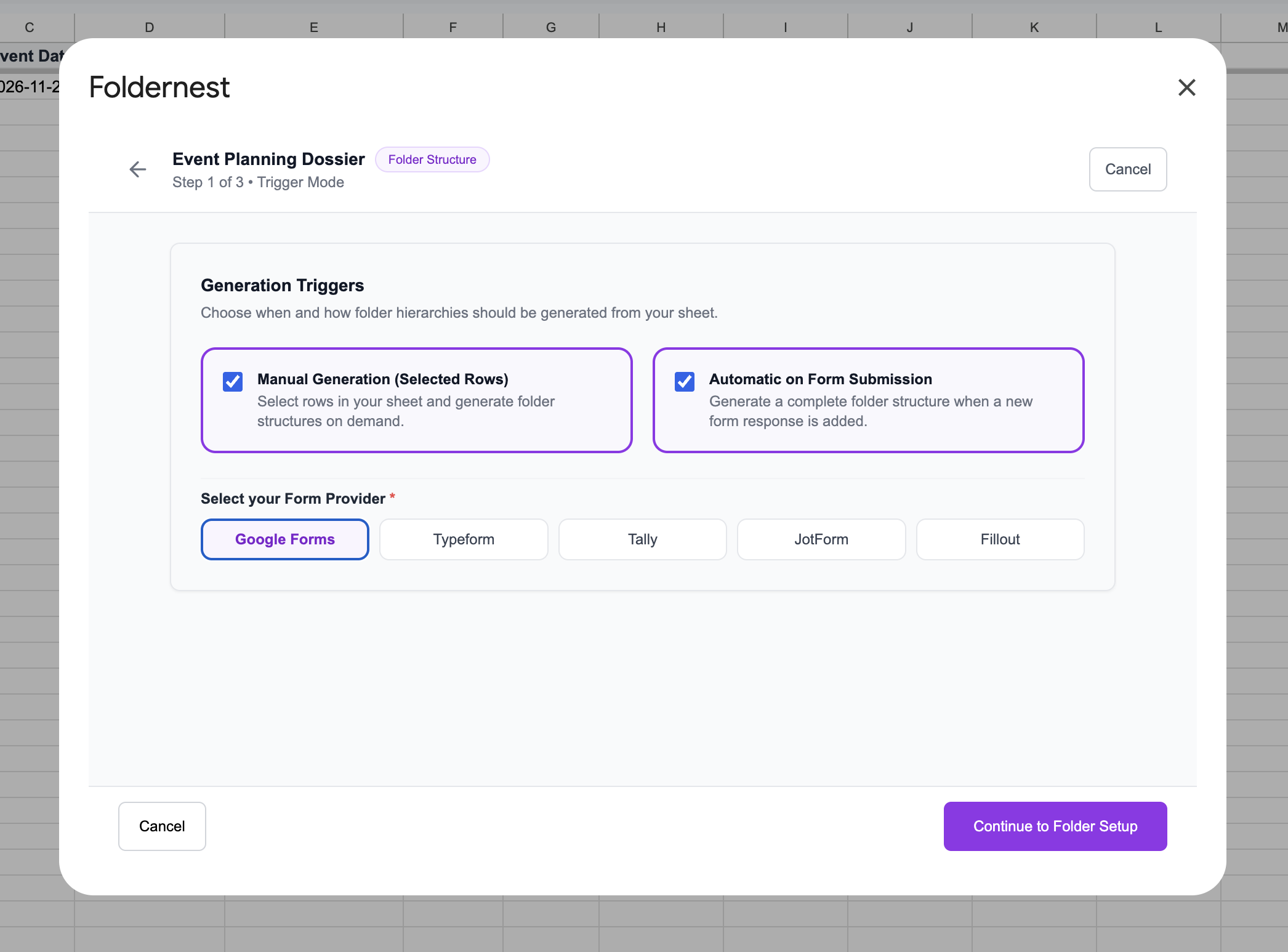
Step 4: Configure Generation Triggers
Foldernest provides multiple trigger options to accommodate your agency's booking workflow:
- Manual Generation (Selected Rows): Select one or more client booking rows and generate folders on demand.
- Automatic on Form Submission: Connect your client inquiry or onboarding form (Google Forms, Typeform, Tally, JotForm, or Fillout). When a client submits their booking details, Foldernest creates their full Drive dossier in real-time.
Step 5: Define Target Folder, URL Output & Client Sharing
Set your automation name (e.g. `Event Planning Dossier`), ensure the source worksheet is set to `Events & Weddings`, and paste your master Google Drive parent folder URL (e.g. *Event & Wedding Planning Hub*):
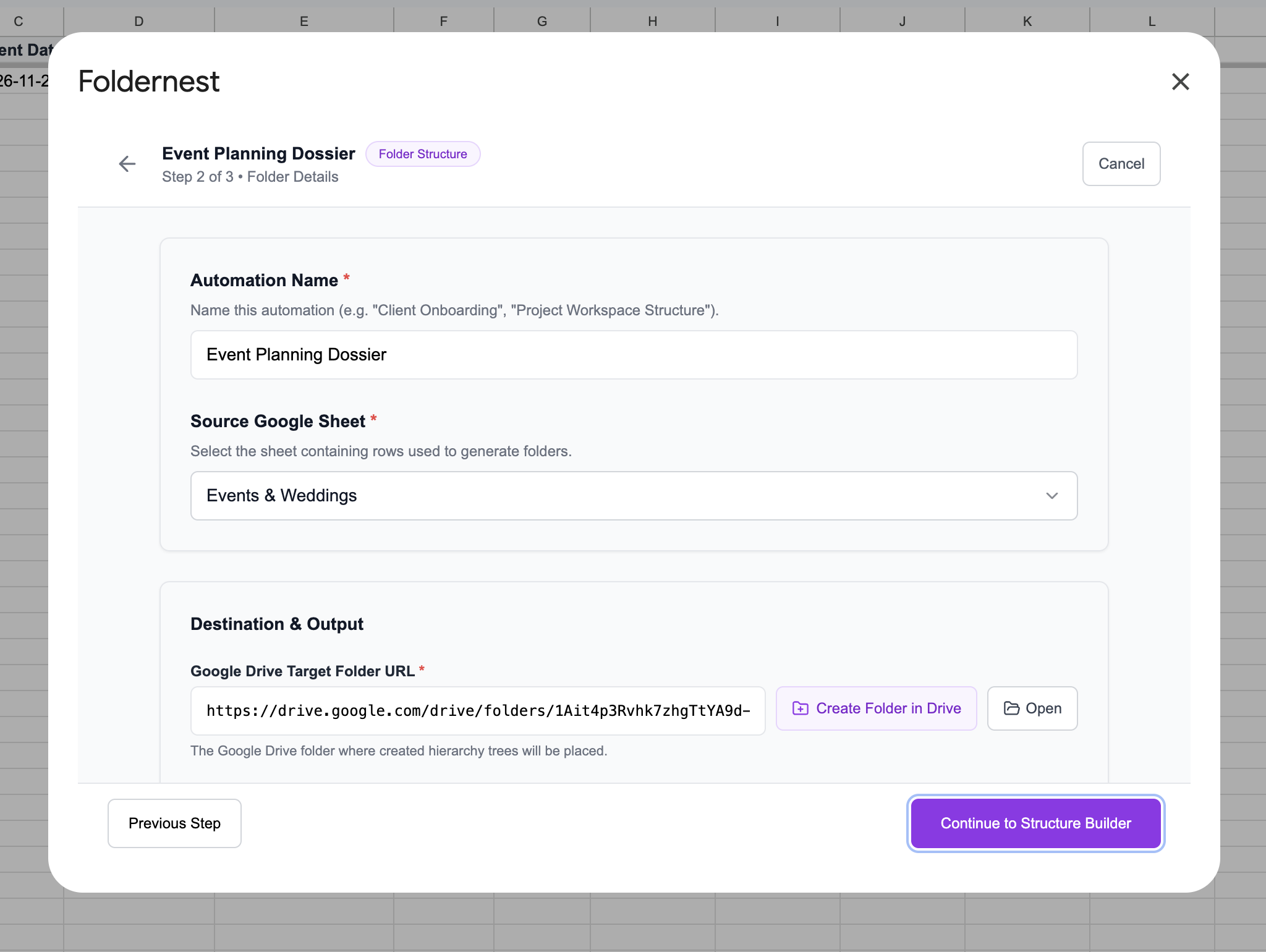
Under the output settings, select Column G for logging created folder links. You can also configure dynamic sharing using `{{Client Email}}` so your clients or event producers receive immediate access.
Step 6: Fine-Tune Subfolders & File Attachments in Structure Builder
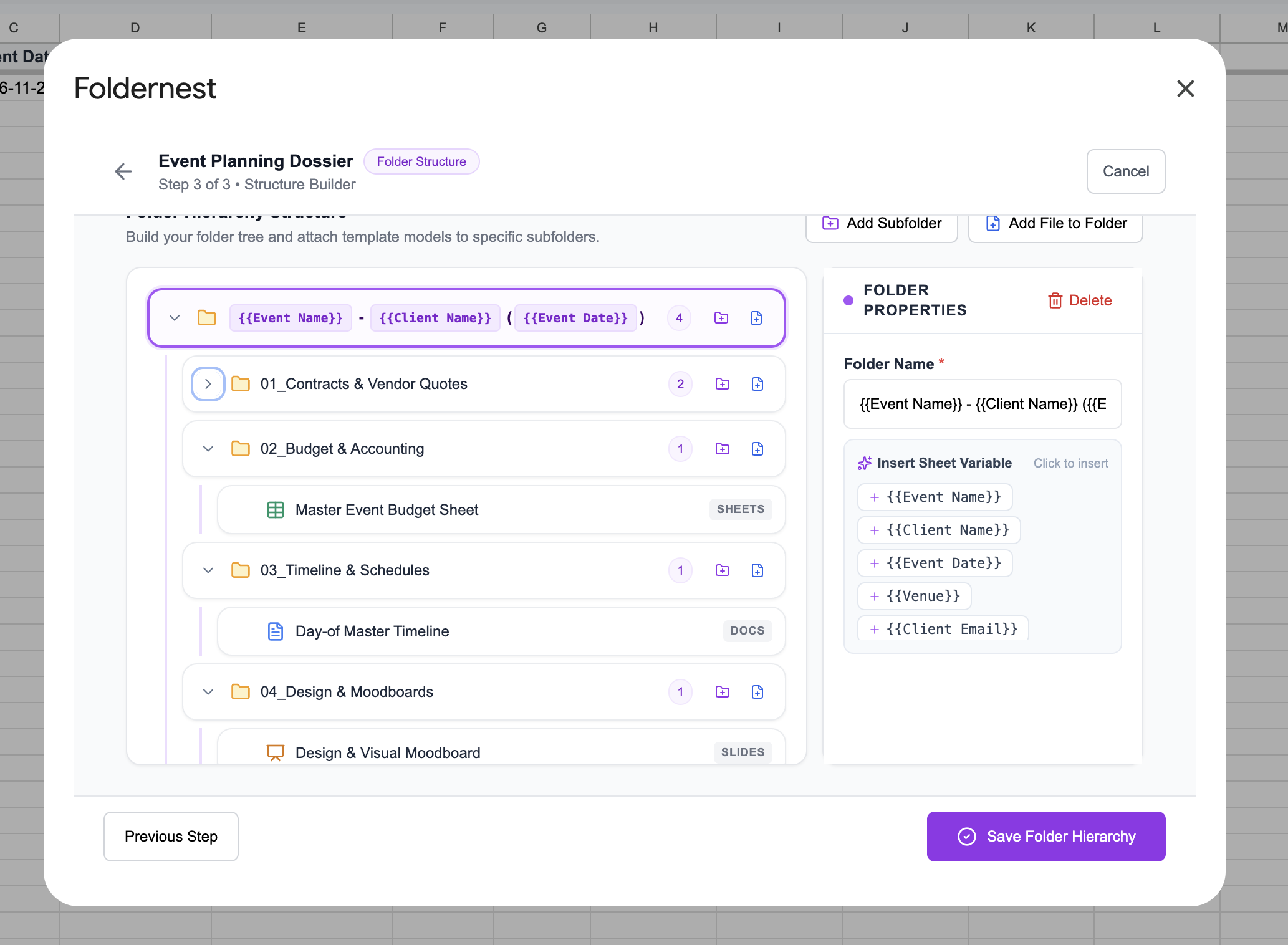
In Step 3: Structure Builder, you can easily customize the hierarchy to match your specific production requirements:
- Vendor Subfolders: Keep vendor quotes categorized under `01_Contracts & Vendor Quotes` with subfolders for `Venue & Catering` and `Photography & Production`.
- Master Event Budget Sheet: Automatically cloned from your template model into `02_Budget & Accounting`.
- Day-of Master Timeline: Attached to `03_Timeline & Schedules` ready for run-of-show cues.
- Design & Visual Moodboard: Cloned into `04_Design & Moodboards` for creative collaboration.
- Dynamic Folder Properties: Add extra subfolders like `05_Guest List & Seating` or `06_Sponsor Deliverables` with one click.
Step 7: Run a Test on Live Sample Data
Test your configuration against sample data from your spreadsheet (e.g. *Row 2: Global AI Summit 2026 - Future Tech Foundation*):
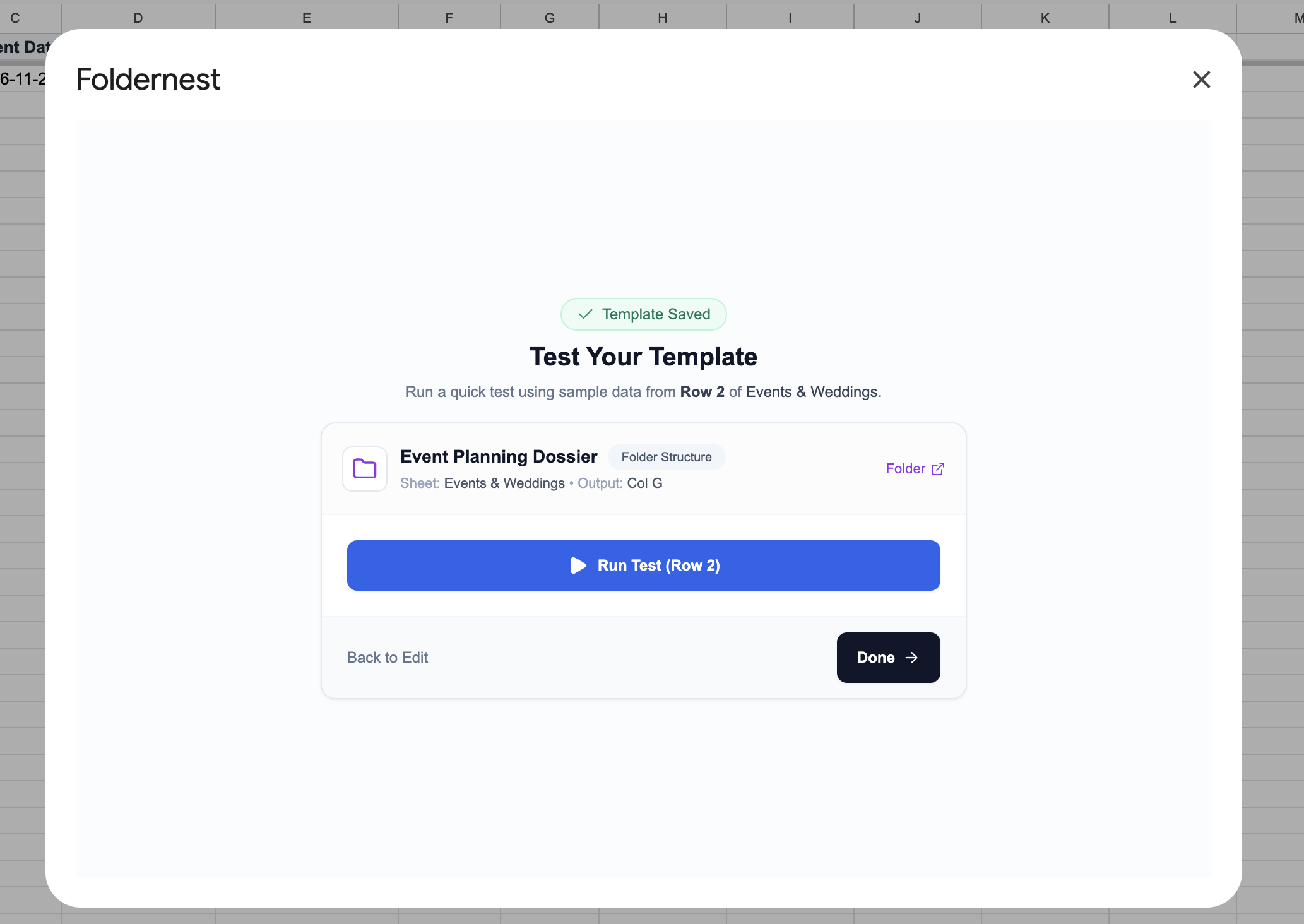
Foldernest provisions the test dossier in Google Drive within seconds and presents a green confirmation banner with a direct link to open the result.
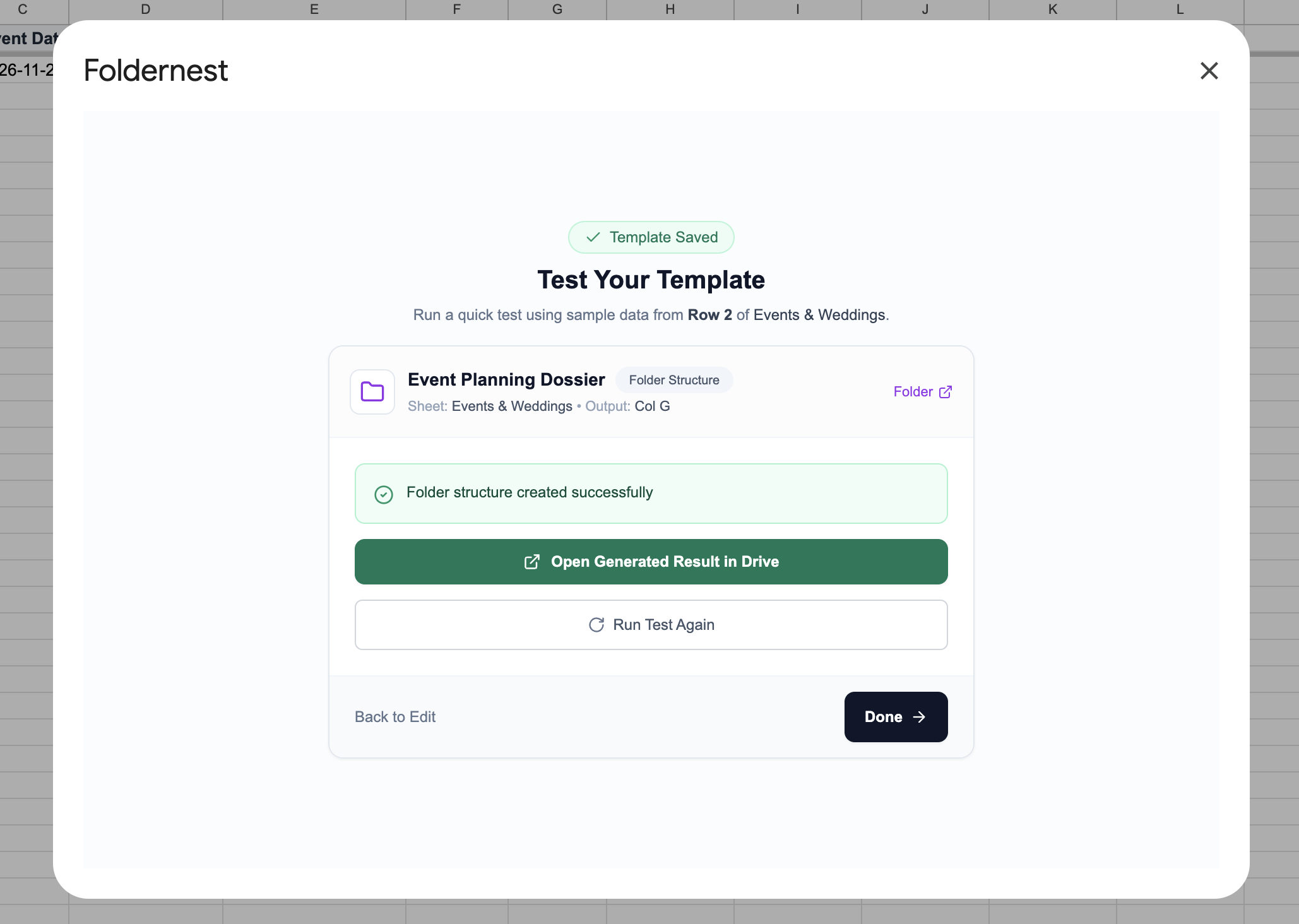
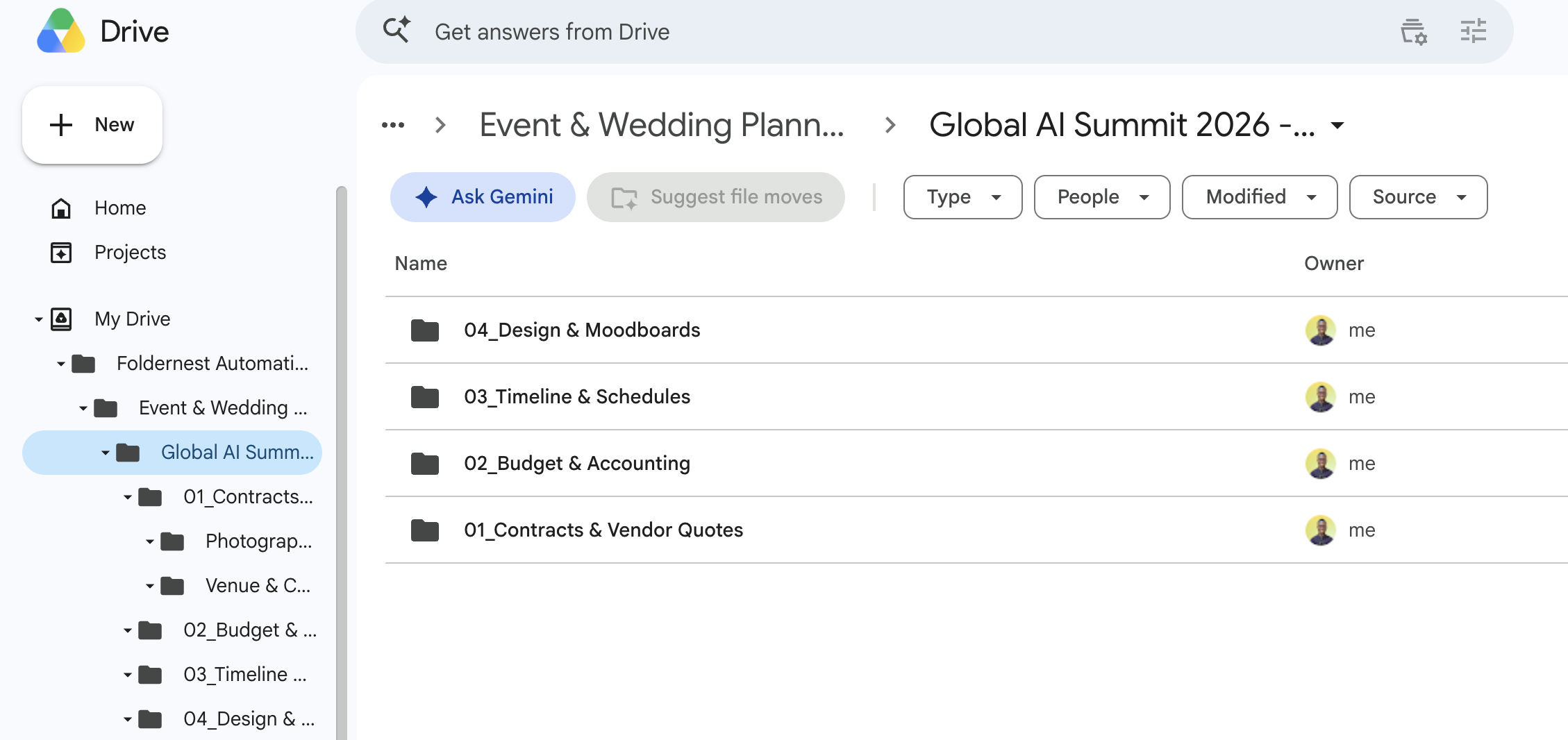
Step 8: Review the Generated Event Dossier in Drive & Sheets
Open your Google Drive parent directory to inspect the generated folder hierarchy. Every subfolder and pre-loaded template is perfectly arranged and ready for immediate client collaboration:
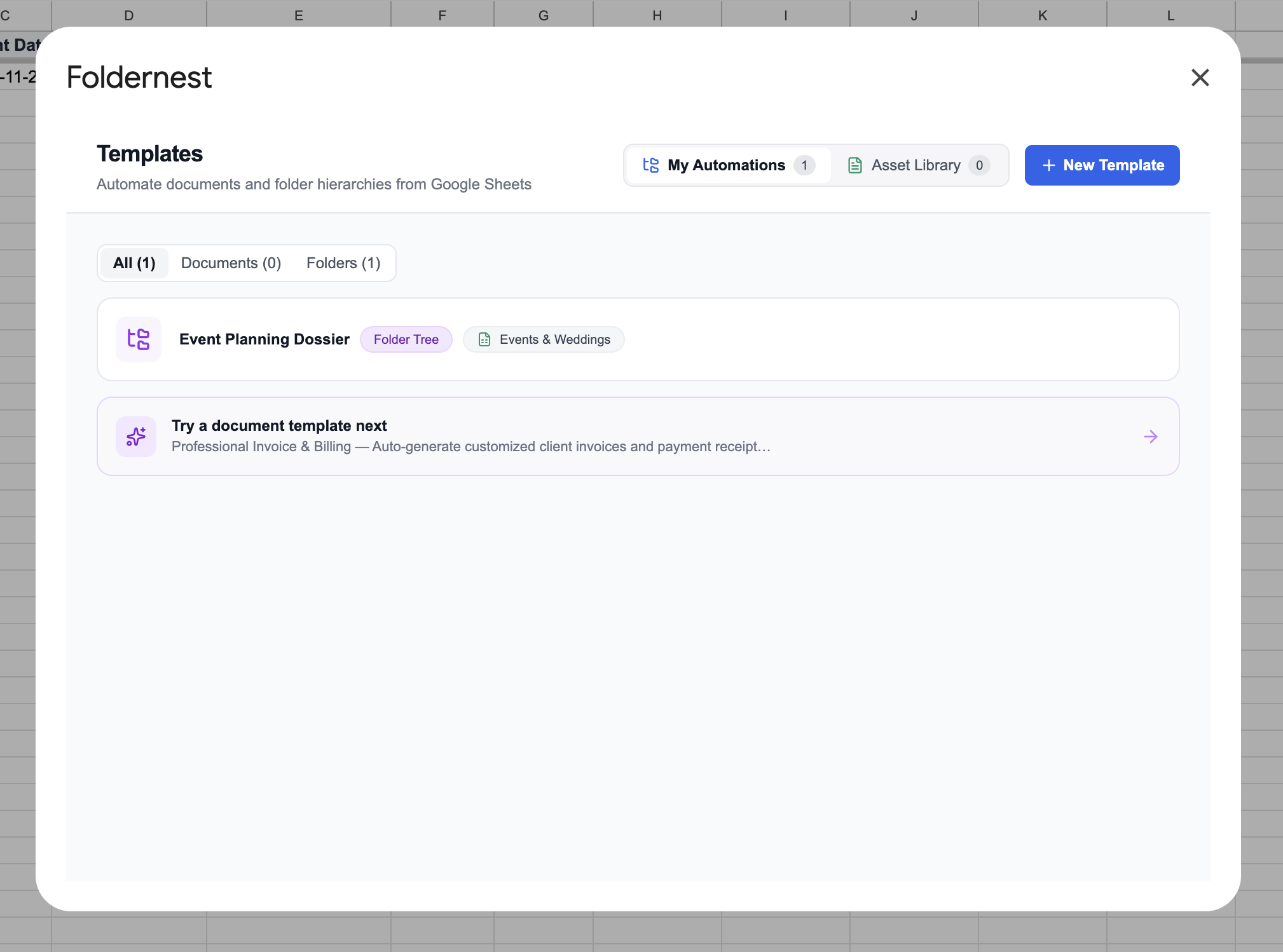
Your new automation is saved to your Foldernest dashboard under My Automations, ready for automatic execution on future bookings:
In your master Google Sheet, Foldernest inserts the interactive Google Drive Smart Chip in Column G. Planners and executive producers can preview the folder contents or open the Drive repository in one click:
Performance Comparison: Manual Event Setup vs. Foldernest Automation
| Event Workflow Step | Manual Coordination | Foldernest Automation |
|---|---|---|
| Dossier Creation Time | 45–60 minutes per client | Under 3 seconds (instant) |
| Budget Sheet Duplication | Manual copy-paste with formula risk | Automated pre-formatted Sheet model |
| Day-of Timeline Readiness | Scattered Doc drafts in personal drives | Standardized Doc template in subfolder |
| Client Intake Integration | Manual data transcription from forms | Real-time trigger on Typeform/Google Forms |
| Folder Structure Consistency | Varies per event coordinator | 100% standardized agency blueprint |
| Drive Link Organization | Manual bookmarking and email digging | Direct Drive Smart Chips in Column G |
Best Practices for Event Planners & Production Agencies
Pro Tip
Pro Tip for Vendor Access: Create a dedicated *External Vendors* subfolder set to view/upload access for external suppliers (caterers, DJs, lighting techs) while keeping the root folder and internal budget spreadsheets strictly confidential to your core planning team.
- Connect Client Intake Forms: Hook your website inquiry or questionnaire form (Typeform, Tally, Google Forms) to Google Sheets to auto-generate dossiers the moment a client books a discovery call.
- Attach Floorplans & AV Riders: Include blank Google Slides templates for seating layouts and technical stage riders in the `04_Design & Moodboards` subfolder.
- Post-Event Archiving: When the event concludes, easily relocate the root folder to an *Archive 2026* directory while retaining full historical access in your spreadsheet.
Frequently Asked Questions (FAQ)
Can I use Foldernest for both corporate events and private weddings?
Yes! The Event Planning Dossier blueprint is fully adaptable. You can customize subfolder names to include wedding-specific categories (e.g. *Florals & Decor*, *Bridal Party Timeline*, *Registry & Gifts*) or corporate categories (e.g. *Keynote Speakers*, *Sponsorship Deliverables*, *Security & Permits*).
What intake form builders are supported for automatic folder creation?
Foldernest supports Google Forms, Typeform, Tally, JotForm, and Fillout. As soon as a client or team member submits the form, Foldernest creates their Drive dossier and logs the folder link automatically.
Can template documents include formulas and design layouts?
Yes. Any master Google Sheet (with formulas and charts), Google Doc (with branded headers), or Google Slide (with vector layouts) attached in the Structure Builder is cleanly duplicated and populated for each event.
Deliver Flawless Events with Foldernest
Exceptional event execution requires immaculate organization. Stop wasting valuable hours setting up Drive folders manually and let Foldernest build standardized, professional project dossiers in seconds.
Ready to automate your event and wedding planning workflows? Install Foldernest from the Google Workspace Marketplace today and get your first event dossier automated in minutes.